September 9, 20178 yr Has any one used them or have any experience with them? I think it changed hands a few years ago from what I can gather? Thanks in advance 🤠
September 9, 20178 yr I've been using Martin for the last 5 years can't fault his work or prices, even though I'm now scoob Less I'm still taking the ford there as I know he'll do a proper job.Sent from my SM-G930F using Tapatalk
September 9, 20178 yr martin and the guys at sss are the only place i have trusted to work on my subaru's over the years apart from me.does a great job,i would recommend them to anyone.
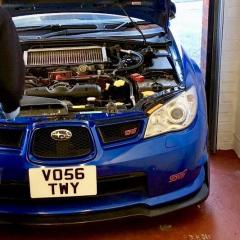
September 9, 20178 yr Author @Scoobyghost @stants @aucky Thanks for the replies. Seems they have a good rep then. I was talking to them this morning (unsure of the name of the guy). He was really helpful and give me a very good price on the work I'm looking at having done. I'm dropping it off next Saturday so they can give the car a once over, and I'm looking into getting the car forged and a new clutch fitted at some point soon.



Create an account or sign in to comment