Do Not Sell My Personal Information Jump to content
View in the app

A better way to browse. Learn more.

Subaru Owners Club UK | Subaru Forums

A full-screen app on your home screen with push notifications, badges and more.

To install this app on iOS and iPadOS
  1. Tap the Share icon in Safari
  2. Scroll the menu and tap Add to Home Screen.
  3. Tap Add in the top-right corner.
To install this app on Android
  1. Tap the 3-dot menu (⋮) in the top-right corner of the browser.
  2. Tap Add to Home screen or Install app.
  3. Confirm by tapping Install.

TOMMYKAIRA BM9 LEGACY B4 RR

Featured Replies

So I had never heard of these chaps / chapesses until a few minutes ago. After doing some digging I found this - liking this shops products :D


1st legacy I've ever seen by them and does look smart I'd have one but would want some sort or rear spoiler :) I love spoilers ;) 

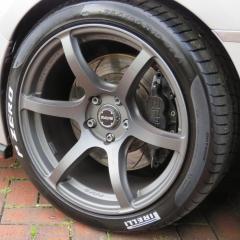
2 things, exhaust is way way way too raspy for my liking, after all its a Subaru for goodness sake and why has it got silver wheels when it looks like that it should have atleast black/gold wheels.

They can all be worked on at check out I'm sure :D 


Ofc I reckon they need a bit of Ash's styling advice.

Needs more leather and gimp masks :D

Maybe we should set up our own tuning called AJG Motors :)


Like it Company logo's :D 

i've heard of TK before as they have some supercars on gran turismo from years back, never knew they did tuning parts for others though

Create an account or sign in to comment


Background Picker
Customize Layout

Account

Navigation

Search

Configure browser push notifications

Chrome (Android)
  1. Tap the lock icon next to the address bar.
  2. Tap Permissions → Notifications.
  3. Adjust your preference.
Chrome (Desktop)
  1. Click the padlock icon in the address bar.
  2. Select Site settings.
  3. Find Notifications and adjust your preference.