Do Not Sell My Personal Information Jump to content
View in the app

A better way to browse. Learn more.

Subaru Owners Club UK | Subaru Forums

A full-screen app on your home screen with push notifications, badges and more.

To install this app on iOS and iPadOS
  1. Tap the Share icon in Safari
  2. Scroll the menu and tap Add to Home Screen.
  3. Tap Add in the top-right corner.
To install this app on Android
  1. Tap the 3-dot menu (⋮) in the top-right corner of the browser.
  2. Tap Add to Home screen or Install app.
  3. Confirm by tapping Install.

SOLD - 2010 WRX-S | RED | Genuine Low Miles

Featured Replies

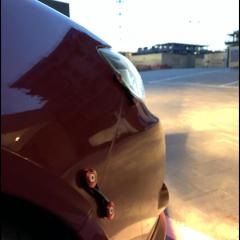
Unfortunately I have to put my baby up for sale, I'll be back in a couple months in another WRX but for now she has to go. £7,000.00 slightly neg

Car has a measly 37000 miles on her, never been in an accident or been resprayed, clear HPI.

Bought her about 4 months back, Gave her a full service and put a 1000 miles on her, no problems at all.

SPECS:

2010 WRX-S narrow body 5 speed manual

Prodrive kit direct from the factory - Launch control for those who want it....

Bough it with the following already fitted:

- Forge uprated cooler and recirc valve

- Cobra exhaust, still has downpipe fitted

- Tien springs and 5Zigen wheels


Has software on but I have no clue who tuned it, has 264hp at the wheels.

£7,000.00 slightly neg


In all honesty I don't want to sell it so any ridiculous offer will be turned down, if the price is right come fetch your new car.

Thanks

Kyle

IMG_8775.JPG

IMG_9420.JPG

IMG_9520.JPG

466C2481-60E1-4F49-B6D3-F83E7892FFBE.JPG

5855D61A-C959-43B2-8B84-2E37674D0661.jpg

4B3BF928-3D09-4730-B939-7B3770F4A90E.JPG

D048E4E7-33E7-4011-913A-71D0104E03C7.JPG


  • Author

SOLD

Create an account or sign in to comment


Background Picker
Customize Layout

Account

Navigation

Search

Configure browser push notifications

Chrome (Android)
  1. Tap the lock icon next to the address bar.
  2. Tap Permissions → Notifications.
  3. Adjust your preference.
Chrome (Desktop)
  1. Click the padlock icon in the address bar.
  2. Select Site settings.
  3. Find Notifications and adjust your preference.