Do Not Sell My Personal Information Jump to content
View in the app

A better way to browse. Learn more.

Subaru Owners Club UK | Subaru Forums

A full-screen app on your home screen with push notifications, badges and more.

To install this app on iOS and iPadOS
  1. Tap the Share icon in Safari
  2. Scroll the menu and tap Add to Home Screen.
  3. Tap Add in the top-right corner.
To install this app on Android
  1. Tap the 3-dot menu (⋮) in the top-right corner of the browser.
  2. Tap Add to Home screen or Install app.
  3. Confirm by tapping Install.

Impreza for sale Mapped and set up by Alan Jefferies Engine Tuner

Featured Replies

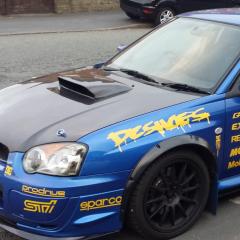
Hi all I've decided to sell my impreza wagon been set up by Alan Jefferies running about 350 bhp big spec fast and reliable number plate included in sale more info and pics are on ebay looking for £4495 ono any questions just message me cheers Andy 

IMG_20190827_135352.jpg

IMG_20190827_135459.jpg

IMG_20190827_135135.jpg

IMG_20190827_135028.jpg

IMG_20190827_134925.jpg

IMG_20190827_134816.jpg

IMG_20190827_140102.jpg

IMG_20190827_133450.jpg


  • Author

Hi jay762 thanks for the comment she is a bit of a beast :taz:

Create an account or sign in to comment


Background Picker
Customize Layout

Account

Navigation

Search

Configure browser push notifications

Chrome (Android)
  1. Tap the lock icon next to the address bar.
  2. Tap Permissions → Notifications.
  3. Adjust your preference.
Chrome (Desktop)
  1. Click the padlock icon in the address bar.
  2. Select Site settings.
  3. Find Notifications and adjust your preference.