Do Not Sell My Personal Information Jump to content
View in the app

A better way to browse. Learn more.

Subaru Owners Club UK | Subaru Forums

A full-screen app on your home screen with push notifications, badges and more.

To install this app on iOS and iPadOS
  1. Tap the Share icon in Safari
  2. Scroll the menu and tap Add to Home Screen.
  3. Tap Add in the top-right corner.
To install this app on Android
  1. Tap the 3-dot menu (⋮) in the top-right corner of the browser.
  2. Tap Add to Home screen or Install app.
  3. Confirm by tapping Install.

Old Banger

Featured Replies


  • Replies 53
  • Views 6.6k
  • Created
  • Last Reply

Top Posters In This Topic

Most Popular Posts

  • Those are great links Gambit, thanks for that. Wish I'd seen it before I went rampaging around the internet.   I did a bit of searching and found a boot lid for £40 and a bumper for £100. Postage is

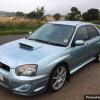
  • As requested...   Before (backed in where my shame could not be seen) After - stickin' oot!   In time will replace the spoiler, as it's not perfect - guy has offered to respray it for free if

  • You cheeky monkey! I did think of that mind you ;-)

Posted Images

they've done a great job, did they install reversing sensors while they were working on it :D

Alright bird, glad it's all finally sorted

  • Author

they've done a great job, did they install reversing sensors while they were working on it :D

You cheeky monkey! I did think of that mind you ;-)

Create an account or sign in to comment


Background Picker
Customize Layout

Account

Navigation

Search

Configure browser push notifications

Chrome (Android)
  1. Tap the lock icon next to the address bar.
  2. Tap Permissions → Notifications.
  3. Adjust your preference.
Chrome (Desktop)
  1. Click the padlock icon in the address bar.
  2. Select Site settings.
  3. Find Notifications and adjust your preference.