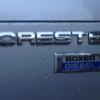
January 12, 201412 yr With Defenders there is a known etiquette of 'Defender Parking' - i.e. if you go into a car park you avoid all empty spaces to park next to, or as close as possible to another Defender.I didn't know other makes did this - and was only remarking yesterday that since picking mine up earlier in the week I'd not seen another Forester on the road - the 2008 to 2013 model seems pretty rare round here.So imagine my surprise to come out of Morrisons to a fairly empty car park yesterday afternoon to find this ... Not only another Forester, but same model and colour. What are the odds of that?
January 12, 201412 yr Haha, I wasn't aware of that particular etiquette. Maybe it's a forester thing :)
January 12, 201412 yr Must admit even in the week or so I've been lucky enough to own one, I've kinda looked for any other Subaru to park near, if the opportunity presents itself
January 12, 201412 yr Not heard of that before. But if I see another Scoob I will make an effort to park up next to it :D



Create an account or sign in to comment