Do Not Sell My Personal Information Jump to content
View in the app

A better way to browse. Learn more.

Subaru Owners Club UK | Subaru Forums

A full-screen app on your home screen with push notifications, badges and more.

To install this app on iOS and iPadOS
  1. Tap the Share icon in Safari
  2. Scroll the menu and tap Add to Home Screen.
  3. Tap Add in the top-right corner.
To install this app on Android
  1. Tap the 3-dot menu (⋮) in the top-right corner of the browser.
  2. Tap Add to Home screen or Install app.
  3. Confirm by tapping Install.

Featured Replies

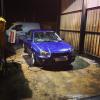
getting to work this afternoon i spotted lovely blobeye WRX Prodrive estate :) plenty of free parking spaces but i had to stick mine next to it :) i seem to do it everytime :)

0A2B591B-3624-4336-BF67-A10ACDE35664_zps


  • Author

yeah exactly why not :)

I've even parked up started walking towards Tesco's entrance and then see another one parked up with a space so I left my missus stood there while I went moved the car round :) 

  • Author

Hahaha thats a class mate :) i did similar thing with my previous car- parked so close to wall that my ex had to get out of car via drivers door lol :)


At least you know the person next to you takes an interest in their car and your not gonna come back to a load of dents where some numpty has attacked your car with their door

  • Author

Big true mate :)

Create an account or sign in to comment


Background Picker
Customize Layout

Configure browser push notifications

Chrome (Android)
  1. Tap the lock icon next to the address bar.
  2. Tap Permissions → Notifications.
  3. Adjust your preference.
Chrome (Desktop)
  1. Click the padlock icon in the address bar.
  2. Select Site settings.
  3. Find Notifications and adjust your preference.