March 31, 201412 yr Well I have taken the spoiler off now meaning the boot opens way too fast, is there a way to slow this down?
March 31, 201412 yr Put the spoiler back on.....I'll get me coat ;) Sent from my iPhone using Tapatalk
March 31, 201412 yr Where I would agree with the above answer ;) I think you could maybe change the struts or whatever they are called or just lift it slower :)
March 31, 201412 yr Slower struts, maybe get some from and estate car or hatch back as they will have more resistance thanks to the weight of the boots. Might take some experimentation to find the best, too strong and it won't open at all. Must admit I don't like classics with out a spoiler looks too much like the old Ford Frog faced Granada's.
March 31, 201412 yr is it fitted with the torsion style bars (not struts)? try removing one of them, or get some from a wrx
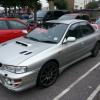
April 1, 201412 yr Author I believe BoozyDave is correct, no struts in sight which confused me. So I can just remove one of them? Should be easy enough. And I have to admit a lot of people not a big fan of it without spoiler but I like it, looks different to all the ones running around Bradford, and should confuse a fair few people when I hit the throttle.
April 1, 201412 yr If you look where the arm is that holds the boot lid, you will see a hinged bracket about 100mm long that holds the end of the bar. Move that first, then remove the bar, it will be easier to prop the boot open before you start. You may need to remove them both at first because they can get tangled together I bet you will surprise a few people!



Create an account or sign in to comment