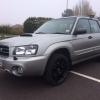
April 3, 201411 yr I was looking last night for a top strut brace for the fozzy and found these good price I think http://www.ebay.co.uk/itm/151210449087?_trksid=p2055119.m1438.l2649&ssPageName=STRK%3AMEBIDX%3AIT
April 3, 201411 yr Looks good I know stanton500 when he was looking just got an impreza one and it fitted fine.
April 3, 201411 yr Author What for the same year car ie mines a 2004 so any upper strut brace for an Impreza of the same year will fit ?
April 3, 201411 yr No his is 99 I think might be worth getting the measurement though 1st. I know thats how he worked it out if it would fit.
April 3, 201411 yr yep gambits right mines the same underpinnings as the classic impreza so 90% of bits fit. The strut just dropped in place. It looks like yours should accept newage bits i also double checked against the whiteline catalogue as they have foz struts listed and the part numbers are the same as the impreza ones. There seems to be newage 01-03 then 04-06 listed. I don't know what the difference would be though and there are two types listed too, are the intercoolers deeper on the different years ? Scooby world were a great help they cross referenced them while i was on the phone and i saved myself 60bits by buying one of there own brand instead of the whiteline ones :-)
April 3, 201411 yr Author Nice one mate I would gave thought that that is the case ie new age parts should fit my fozzy thanks for the info mate



Create an account or sign in to comment