Do Not Sell My Personal Information Jump to content
View in the app

A better way to browse. Learn more.

Subaru Owners Club UK | Subaru Forums

A full-screen app on your home screen with push notifications, badges and more.

To install this app on iOS and iPadOS
  1. Tap the Share icon in Safari
  2. Scroll the menu and tap Add to Home Screen.
  3. Tap Add in the top-right corner.
To install this app on Android
  1. Tap the 3-dot menu (⋮) in the top-right corner of the browser.
  2. Tap Add to Home screen or Install app.
  3. Confirm by tapping Install.

Featured Replies

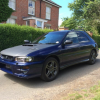
Our 2ltr Wagon bought it a week ago not sure what mods will be doing yet just see where it takes us a little cosmetic work here and there but nothing major.


Any sugestions greatly received would like to try and increase power but not sure the best route to take yet.post-2862-0-31199800-1406877500_thumb.jppost-2862-0-75743100-1406877501_thumb.jppost-2862-0-28691100-1406877503_thumb.jppost-2862-0-56496300-1406877504_thumb.jppost-2862-0-59574700-1406877505_thumb.jppost-2862-0-60298100-1406877506_thumb.jppost-2862-0-79234200-1406877507_thumb.jppost-2862-0-90781700-1406877508_thumb.jp


Hiya and welcome, nice wagon you got there, you a member of SIOC?

  • Author

Hi I have signed up but the logo was one it when I bought it.

Hi Keith, Im new to the scooby scene myself, from personal experience regarding mods I would suggest a full service first, then if funds will allow, a decat and (custom) remap, this is working well for me at the moment.


Im sure people with far more knowledge can give you much more insightful information. 

Very nice looking car. Lovely colour. Do like the colour of those wheels :)

I'd suggest full service from a specialist too...and include belt change (for price of mind)if it's due or you have no proof one has been done recently.


  • Author

Nice Matt


What the splitter on the front?

Create an account or sign in to comment


Background Picker
Customize Layout

Configure browser push notifications

Chrome (Android)
  1. Tap the lock icon next to the address bar.
  2. Tap Permissions → Notifications.
  3. Adjust your preference.
Chrome (Desktop)
  1. Click the padlock icon in the address bar.
  2. Select Site settings.
  3. Find Notifications and adjust your preference.