August 8, 201411 yr Introducing myself just swapped my mx5 for my 02 impreza sportswagon, such a smooth drive and quite quick, looking forward to finding little hints and tips on here
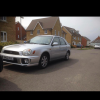
August 8, 201411 yr Hiya and welcome from another fellow bugeye wagon owner :) make sure you post a pic please so we can all have a nosey, well me in particular :D
August 8, 201411 yr Author u Would of I knew how to put a picture up! Have you done anything to your wagon
August 8, 201411 yr Yeah mine is a gx auto too, this is my engine bay Also just added today new leather interior and last week wrx spoiler and took the door strips off, all lights are black around the car and sprayed my wheels black last week too.
August 8, 201411 yr Hi mate welcome to S.O.C Please feel free to ask away we're happy to help when we can :)
August 8, 201411 yr Author Looking good mate mine is standard at the minute don't know where to start or where to get good deals, I think first port of call is power but need to look at what I can do
August 9, 201411 yr I,m on my phone using an app called tapatalk that is linked the the forum and I just attach the pics.
August 9, 201411 yr Author Cheers for that got the app and now using that Here's some more pics of her
August 9, 201411 yr Colour coding engine bits and Bob's is easist job, some plastic primer and can of spray paint makes it look so different. What's your plans for it?
August 9, 201411 yr Author Well I do want some tasteful body mods but first and foremost is power and a nicer engine sound but I wouldn't know where to start I'm guessing induction kit but don't know how difficult it is to fit but any advice on getting a bit more power out of it would be welcomed
August 9, 201411 yr Wotcha and welcome. Induction kit is easy to fit as are exhausts. Being the GX I would suggest giving it a good service with new plugs and decent oil clean the injectors so you know its all running correctly then look at chassis mods to improve handling that way you can stop and turn more effectively. With a non turbo engine it will cost quite a bit to gain some power but overall pound per bhp increase is small - for power it is better to go with a turbo option from the start - get it running sweet and handling a bit sharper that will reap the full benefit of the drive train
August 9, 201411 yr Author Ok Thanks for the advice where's the best place to get service parts or any parts for that matter
August 9, 201411 yr I have a K & N typhoon induction kit on mine, so easy to fit I fitted it myself and I'm a woman lol. The difference it has made is great, I have a little bit more go in it and a burble under the bonnet now. I already had a performance exhaust on.
August 9, 201411 yr Are you on Facebook at all? Some great groups that sell parts off there as 90% of Scooby spares advertise on there
August 9, 201411 yr Author Ha ha just looked hoping for a pic of a scooby but nothing What's your profile picture?
August 9, 201411 yr Check out Surrey Scoobies, a club local to you. Also fortunate that there are quite a few specialists in Surrey.: Surrey Subaru Specialists, GRD, TFS, Jolly Green Monster. http://www.surreyscoobies.co.uk/forums/index.php



Create an account or sign in to comment