



Gambit
Premium Member
-
Joined
-
Last visited
Everything posted by Gambit
-
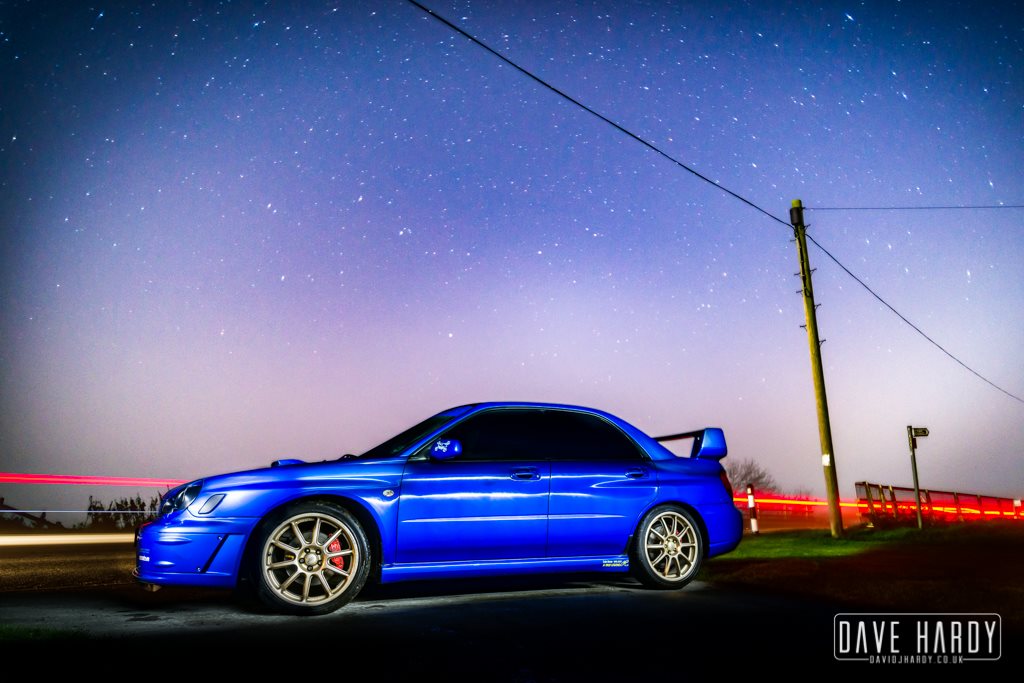
I'd be selling the full car spares or repair. Overall good condition, few marks around the body as you would expect for a car of this year! All tyres were new 2k miles ago, wheels have the odd scuff but hardly noticeable. Wheels were replaced with brand new set last year. Interior needs some care, heated seats I say heated they get warm when the suns on them... toasty, heated rear window when in place, 6 disk multichanger somewhere in the boot along with toolkit and spare wheel. Standard unmolested Subaru Impreza which are hard to find nowadays! No tyre kickers or time wasters.
-
It does lol I've had just about every car want to have ago from freelancers to white van man in transits and sprinters. :( And always one think that will go wrong lol I still need to find why my headlights don't work sure it's an earth but buggered if I can find out :(
-
Hi mate welcome to S.O.C Nice looking Classic any future plans to do ?
-
I'll concur it rear bumpers won't swap unfortunately :(
-
Well so far today just the one moron in a Kia Ceed for some reason wanted to be on my rear bumper so I left him Not sure why some people try it on I really don't get it. But does get annoying sometimes.
-
Forum will have payment forms up again soon mate so no rush these just ones I want rid of I just got them to book the stand. :)
-
SUBARU OWNERS CLUB - BOOK YOUR CLUB STAND FOR JAPFEST 2016! http://www.japfestmotorsportheroes.co.uk/japfestmotorsportheroes The Hop Farm Kent 11th September 2016 NEW BOOKING SYSTEM FOR CLUBS We’ve changed the way club bookings work this year, meaning that individual club members can book their own tickets and vehicle passes for your stand. Please follow the following instructions... Club members must go to japfest.co.uk/club-info to book their tickets Next, select their Club from the menu and enter the Club's Personal Password* Proceed to select required tickets and place order Once booked, they will receive a confirmation email as proof of payment YOUR CLUB'S UNIQUE PASSWORD IS 789.325 We ask that you distribute this to your members in order for them to book their tickets and vehicle passes. Club space will be allocated on a first come first served basis. The deadline to book club tickets is Friday 18th March, subject to space availability. If you have any difficulties, our club support helpline is available on 01959 543 724 between 9am and 5pm, Monday to Friday. CLUB TICKET PRICES FOR 2016 How to book your Club stand Club stands must have a minimum of five cars. Club bookings are subject to space availability and we reserve the right to close entry before the closing date. DO NOT purchase public tickets for a club stand, as these will not be valid. Club Booking System All club bookings are done on our website here. Individual club members are able to book tickets and vehicle passes for their club stand. The club secretary will be emailed your exclusive club password that you will need to make your booking. Once you receive this password, follow the instructions below. If you’re a new club give us a call to set up an account on 01959 541444 Click here to book your club tickets Next, select your club from the menu and enter the club's personal password Proceed to select your required tickets and place order Once booked, you will receive a confirmation email as proof of payment Club booking deadline: Friday 5th August 2016 Club Benefits Discounted entry tickets Beat the traffic with access to the show hours before the public Club passes providing exclusive access to display your car Special club offers from our Partners Club Show Entry Prices Club Weekend Camping Ticket - £12 per person Includes one night camping on Saturday 10th September and show entry on Sunday 11th September. Club Show Entry Ticket - £7 per person Includes show entry on Sunday 11th September only Up to TWO children aged 14 and under FREE with each paying adult. Additional children £5 each. Please contact our team if you have any additional queries: +44 (0) 1959 541444 e: [email protected]
-
Code above busy year for S.O.C and Event's
-
It was last year this one I guess be wanting to go again this year ?
-
Ok mate I have 4 passes and tickets to sell that I have bought but we will update the clubs Club Pass payment forms shortly. I'll sell the ones I have at £14 posted to cover my costs I'd have a guess be £14.50 at a quick guess for the forum because of booking fees paypal fees and postage.
-
right got the pass codes for Rockingham Japfest 2 and Japfest Motorsport Heroes will make their own post up shortly
-
Ok so I'll get us added to all the japfest then ... New tent lol
-
is it Japfest motorsport Heros you signed for as well ?
-
Haha yep you can do that. you can even make it so all the wheels line up too
-
I'll contact them mate and make sure we get added on the list then for them all. Otherwise be just you on a clubstand lol
-
No worries mate. Will try look at getting plenty of events going if interest is there. To boot's delight modified live is out as it falls the exact same day as this lol
-
I stangley just smile like a crazy man when I drive mine
-
Hello mate Will add you buddy. Not seen you on for awhile. Have you been using my stealth tactics lol
-
Not another one my mates just put his up for sale on Gumtree
-
Needed to have a minimum of ten cars. But I know they will go so not a problem. Just hope we can book it as a final amount sooner as red orange zones still free. It's just Blue and Green they still let you give pass numbers. As they class that as being out of the main events section.
-
No worries mate maybe another event
-
Hi mate welcome to S.O.C from down here in windy Lincolnshire
-
I've just looked at Japfest 2 clubs and we're not on the list
-
NEW BOOKING SYSTEM FOR CLUB BOOKINGS We’ve changed the way club bookings work this year, meaning that individual club members can book their own tickets and vehicle passes for your stand. Please follow these instructions... Club members must go to www.japfest2.co.uk/club-info to book their tickets Next, select their Club from the menu and enter the Club's Personal Password* Proceed to select required tickets and place order Once booked, they will receive a confirmation email as proof of payment * YOUR CLUB'S UNIQUE PASSWORD IS 663.366 We ask that you distribute this to your members in order for them to book their tickets and vehicle passes. Club space will be allocated on a first come first served basis. The deadline to book club tickets is Friday 20th May, subject to space availability. If you have any difficulties, our club support helpline is available on 01959 543 724 between 9am and 5pm, Monday to Friday. Boot's Geoffleggy
-
Right I've had to buy an extra 5 tickets at full price. We can add more cars but we need to get paid up quick to get in the same spots we was in last year but see how quick we get paid up. would need minimum 13 other tickets onto of what I have bought. Right Geoff and Alex I need your club booking numbers to get the passes added, so if you can get me them asap think it's about 6 to 8 digits

