
Do Not Sell My Personal Information Jump to content
View in the app

A better way to browse. Learn more.

Subaru Owners Club UK | Subaru Forums

A full-screen app on your home screen with push notifications, badges and more.

To install this app on iOS and iPadOS
  1. Tap the Share icon in Safari
  2. Scroll the menu and tap Add to Home Screen.
  3. Tap Add in the top-right corner.
To install this app on Android
  1. Tap the 3-dot menu (⋮) in the top-right corner of the browser.
  2. Tap Add to Home screen or Install app.
  3. Confirm by tapping Install.

Ireland.subaru

Members (FB)
  • Joined

  • Last visited

  1. Ireland.subaru changed their profile photo
  2. I know but im mad for the WRX STI model amazzzzzing but ill get there slowly but shurley
  3. Cheers jay im living in Germany for a few months to save up a few quid to make d car look better but when I return if yous have any meets ill defo be there :)
  4. That's a fact lol hoping so would love an sti now but the insurances companies here laugh when I look for cover on one
  5. A cheers man dieing to get the big scoop im sick that its 1.6 and not turbo would love to have a dump valve in her too
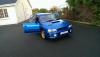
  6. Cheers Gambit, Love this place people who know what a good car is crazy and ye its a nice car very clean im trying to see if a bonnet from a genuine sti will fit her I want the bigger bonnet scoop to make it look more realistic.
  7. Would a bonnet with the higher and bigger scoop fit a 1.6 rep. I have the small scoop but would love the big one to make it look more genuine.
  8. Hi guys im new to the Subaru world just bought my first Subaru 1.6 wrx sti replica. Plan is to driver her for a year then get a wrx sti genuine. Iv been a fan of Subaru since I was a kid because lets be honest they are the best car in the world lol. I am irish and live in Ireland but I hear this is the best Scooby club around :)
Background Picker
Customize Layout

Configure browser push notifications

Chrome (Android)
  1. Tap the lock icon next to the address bar.
  2. Tap Permissions → Notifications.
  3. Adjust your preference.
Chrome (Desktop)
  1. Click the padlock icon in the address bar.
  2. Select Site settings.
  3. Find Notifications and adjust your preference.