


Spuds
Members
-
Joined
-
Last visited
Everything posted by Spuds
-
 My thoughts exactly
 -
Yeah hopefully I won't get too gready with the power I don't think my bank balance will cope with it lol
-
My first mod is going to be a nice new tax disc @£261 for 6 months ooouuch
-
We'll I've only took it for a test drive but as it's already got the PPP to start with I'll probably stiffen the suspension up throw a green filter in and perhaps better alloys and tyres for now and see where it goes from there.there is a print out with it from the subaru dealer saying it's at 260ps I'd like it about 300 so I'll be open to suggestions
-
Yes mate cheers for the welcome,I've been reading through for the last few days and you seem a friendly enough lot
-
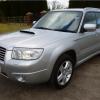
We'll I've finally decided to take the plunge and get my first scooby and I can't wait.ive traded my navara d40 for an 07 forester xt with PPP and pick it up tomorrow.im sure I will be asking plenty of questions about mods and hopefully not problems.bring it on.
