



Nevell
Members
-
Joined
-
Last visited
Everything posted by Nevell
-
Yummy going on saturday
 Helloslowly getting somewhere now
 HelloBoom
 Whoop whoop sti rims on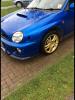
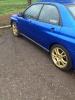 Not good mateYay when will this be happening in summer? When can I marry your morettesI would go for a wr1 or spec c newage :-)Gambit tere is a video on an American forum telling and showing you how to do it ,you need the headlight support brackets to ,which are on eBay for cheap ,you just need to go to subaru to order the bumper cross member Dibs on the morettes lolAbit marmite but got me self some prodrive headlights This is the look I'm going for
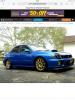 Abit marmite but got me self some prodrive headlights This is the look I'm going forInteresting interesting ....lolThis I'm back

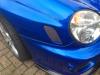 I'm about to clay my car ,any more reviews on the cloth would be handy .....I'm confused did you get stand passes then......?Cheers for the offer matt but but I'm not 100% sure what I'll be doing yet mate,Hi just wondering what wheels are on this scoob ??Hello and welcomeI agree with you matt lol And I prefer this forum I just got an email for my refund , think I'm gonna go carnival looks better lol lolI might go to this instead as I have been santapod a few times but never to rockingham looks good






Account
Navigation
Search
Configure browser push notifications
Chrome (Android)
- Tap the lock icon next to the address bar.
- Tap Permissions → Notifications.
- Adjust your preference.
Chrome (Desktop)
- Click the padlock icon in the address bar.
- Select Site settings.
- Find Notifications and adjust your preference.
Safari (iOS 16.4+)
- Ensure the site is installed via Add to Home Screen.
- Open Settings App → Notifications.
- Find your app name and adjust your preference.
Safari (macOS)
- Go to Safari → Preferences.
- Click the Websites tab.
- Select Notifications in the sidebar.
- Find this website and adjust your preference.
Edge (Android)
- Tap the lock icon next to the address bar.
- Tap Permissions.
- Find Notifications and adjust your preference.
Edge (Desktop)
- Click the padlock icon in the address bar.
- Click Permissions for this site.
- Find Notifications and adjust your preference.
Firefox (Android)
- Go to Settings → Site permissions.
- Tap Notifications.
- Find this site in the list and adjust your preference.
Firefox (Desktop)
- Open Firefox Settings.
- Search for Notifications.
- Find this site in the list and adjust your preference.