Do Not Sell My Personal Information Jump to content
View in the app

A better way to browse. Learn more.

Subaru Owners Club UK | Subaru Forums

A full-screen app on your home screen with push notifications, badges and more.

To install this app on iOS and iPadOS
  1. Tap the Share icon in Safari
  2. Scroll the menu and tap Add to Home Screen.
  3. Tap Add in the top-right corner.
To install this app on Android
  1. Tap the 3-dot menu (⋮) in the top-right corner of the browser.
  2. Tap Add to Home screen or Install app.
  3. Confirm by tapping Install.

Filioque

Members
  • Joined

  • Last visited

  1. Trouble is its 5p more expensive than Tesco Momentum :-)
  2. I'm sorry do I know you? You seem to know me very well, being a pervert and all lol :-). I do like the idea of blacked out windows and I suppose you can always take the tint off again. Right !!
  3. How do I make picture bigger :-(
  4. Now that's a !Removed! good question. When I bought it, end of last year, the only mod is a forge atmospheric dump valve. I am thinking of changing this back to a recirc one. I am thinking of keeping it standard, if changing disc's to grooved and uprating pads, uprating suspension rubbers etc is considered keeping it standard? I would put up a bigger photo if I only knew how lol.
  5. No worries and thank you :-)
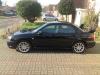
  6. Here is my beast :-)
  7. Hi all, Just to introduce myself. My name is Paul and live in Broadstairs, Kent. My car is a 55 reg STi Prodrive in black Pearl :-)

Background Picker
Customize Layout

Configure browser push notifications

Chrome (Android)
  1. Tap the lock icon next to the address bar.
  2. Tap Permissions → Notifications.
  3. Adjust your preference.
Chrome (Desktop)
  1. Click the padlock icon in the address bar.
  2. Select Site settings.
  3. Find Notifications and adjust your preference.