
Do Not Sell My Personal Information Jump to content
View in the app

A better way to browse. Learn more.

Subaru Owners Club UK | Subaru Forums

A full-screen app on your home screen with push notifications, badges and more.

To install this app on iOS and iPadOS
  1. Tap the Share icon in Safari
  2. Scroll the menu and tap Add to Home Screen.
  3. Tap Add in the top-right corner.
To install this app on Android
  1. Tap the 3-dot menu (⋮) in the top-right corner of the browser.
  2. Tap Add to Home screen or Install app.
  3. Confirm by tapping Install.

Vickystrachan

Members
  • Joined

  • Last visited

  1. When pressing the break there is a lot of play - press it hard and they are solid! Anyone else experience this or have any advice - gonna book it in for a once over in the new year!
  2. I bought Daphne a bonnet bra and some shampoo
  3. My baby looks awesome with the spoiler fitted - absolutely made up with it
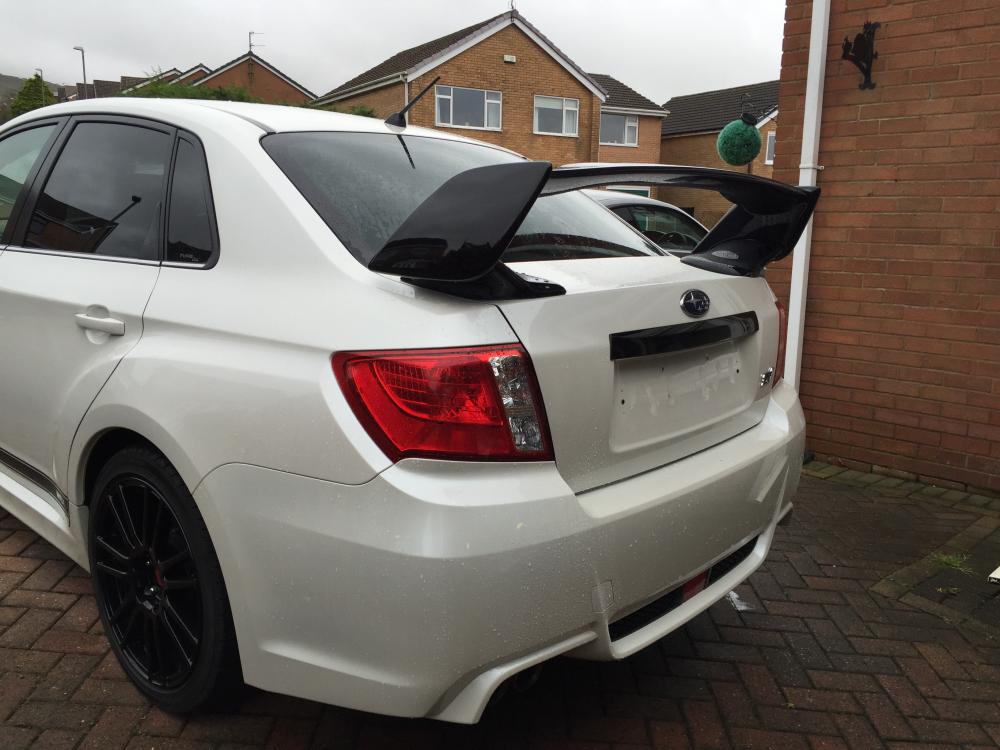
  4. Looking forward to having my sti fitted with its spoiler - could do with replacing the patches at bottom of rear doors but not sure how big a job it would be ??
  5. Changed cars and my insurance company will only insure my Sti against theft if it has a tracker ( any - no specific make) !! Anyone got any decent insurers where this isn't an issue???paying £500
  6. I had a cracking drive in mine in the snow a week last - I was amazed by how solid it was and great fun when I asked !
  7. Vickystrachan changed their profile photo
  8. Not the best picture - just waiting for the body shop to finish the spoiler. It's amazing puts a huge smile on my face everyday
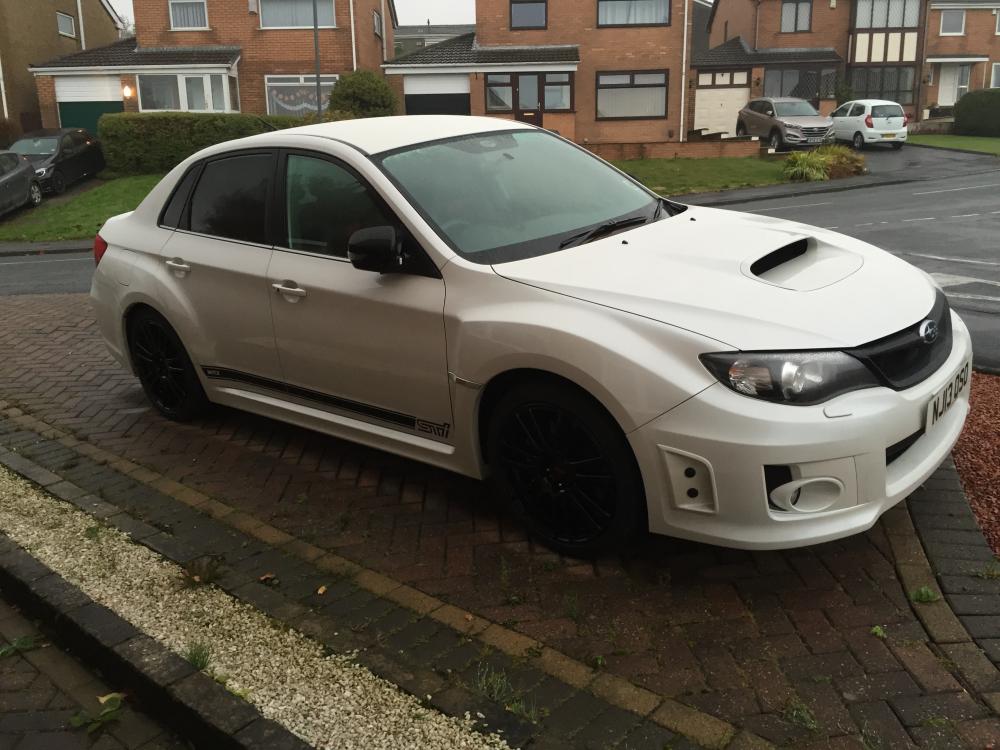
  9. Just treated myself to a 2013 WRX Sti - love it !
Background Picker
Customize Layout

Configure browser push notifications

Chrome (Android)
  1. Tap the lock icon next to the address bar.
  2. Tap Permissions → Notifications.
  3. Adjust your preference.
Chrome (Desktop)
  1. Click the padlock icon in the address bar.
  2. Select Site settings.
  3. Find Notifications and adjust your preference.
