Do Not Sell My Personal Information Jump to content
View in the app

A better way to browse. Learn more.

Subaru Owners Club UK | Subaru Forums

A full-screen app on your home screen with push notifications, badges and more.

To install this app on iOS and iPadOS
  1. Tap the Share icon in Safari
  2. Scroll the menu and tap Add to Home Screen.
  3. Tap Add in the top-right corner.
To install this app on Android
  1. Tap the 3-dot menu (⋮) in the top-right corner of the browser.
  2. Tap Add to Home screen or Install app.
  3. Confirm by tapping Install.

JoeThwaite

Members
  • Joined

  • Last visited

Everything posted by JoeThwaite

  1. Where abouts in the homeland mate? Are there many meets this group does?
  2. **** it's too late man, will have to keep a look out haha
  3. Halifax, Yorkshire, Up north, gods own county 😂 I'm slightly patriotic to Yorkshire
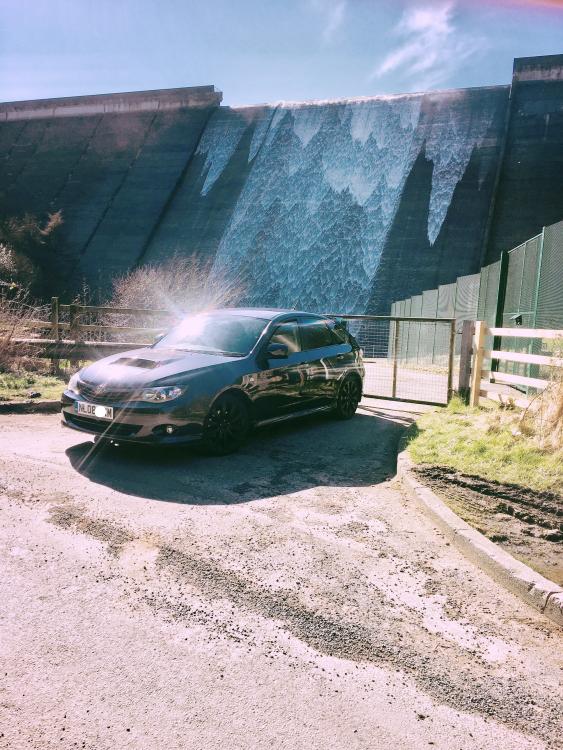
  4. Morning all, recently purchased an 08 wrx hatch after owning modded n/a pegeouts for years.. well what can I say, I love it. Should've bought one years ago. Already fitted a full turbo back exhaust and it's off to Andy Forrest next Friday for stg1 tune. Not going to go daft with it cos in a couple years I hope to afford an STI.
Background Picker
Customize Layout

Account

Navigation

Search

Configure browser push notifications

Chrome (Android)
  1. Tap the lock icon next to the address bar.
  2. Tap Permissions → Notifications.
  3. Adjust your preference.
Chrome (Desktop)
  1. Click the padlock icon in the address bar.
  2. Select Site settings.
  3. Find Notifications and adjust your preference.