Do Not Sell My Personal Information Jump to content
View in the app

A better way to browse. Learn more.

Subaru Owners Club UK | Subaru Forums

A full-screen app on your home screen with push notifications, badges and more.

To install this app on iOS and iPadOS
  1. Tap the Share icon in Safari
  2. Scroll the menu and tap Add to Home Screen.
  3. Tap Add in the top-right corner.
To install this app on Android
  1. Tap the 3-dot menu (⋮) in the top-right corner of the browser.
  2. Tap Add to Home screen or Install app.
  3. Confirm by tapping Install.

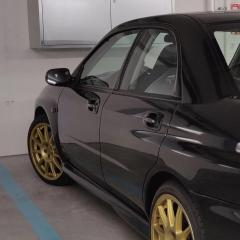
I think she might have a flat tyre... xD

Featured Replies


Wow now I've seen some dumb **** **** but thats taken it to a whole new level of special.

lol, that's bad, see must have been under the influence of alcohol or substances. However, I find it more annoying that he didn't film it in LANDSCAPE!!!!

lol, that's bad, see must have been under the influence of alcohol or substances. However, I find it more annoying that he didn't film it in LANDSCAPE!!!!

lol yea me too...why the f do people do that....where's the rant thread have we covered that?


I also agree and not don't think it's been posted up. Surprised matt wasn't on that one :D 

Create an account or sign in to comment

Background Picker
Customize Layout

Account

Navigation

Search

Configure browser push notifications

Chrome (Android)
  1. Tap the lock icon next to the address bar.
  2. Tap Permissions → Notifications.
  3. Adjust your preference.
Chrome (Desktop)
  1. Click the padlock icon in the address bar.
  2. Select Site settings.
  3. Find Notifications and adjust your preference.