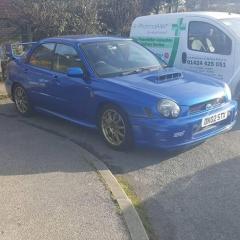
April 24, 201511 yr so today the garage rung and said my car was ready for collection the problem was the water pump had got rusty inside so it was pushing rusty bits around the hoses and blocking it all up so in the end they done the cambelt and water pump new rad new thermostat and flushed all the hoses out had to stop on the way home tho as there was smoke coming from under the bonnet so rung the garage back up and they said it could be the parts as they are new and there was a horrible smell aswell but got it back home and was all ok so hopefully it was just the new parts burning off
April 24, 201511 yr Glad to hear mate water pumps again ;) Don't say anything to Tidgy Haha sorry mate :) But least it's sorted and nothing like a headgasket failure and on the plus side cambelts done too :D
April 24, 201511 yr Author yeah lol the bloke before me done the belt but not the pump bit odd but never mind all done now now time to order new parts :)
April 24, 201511 yr Author got a a4 paper filled with car parts to buy :) i will get it all done eventually
April 24, 201511 yr Yep like me it never seems to end you get near the bottom of the list then start again :D
April 24, 201511 yr lmao, not heard of one go for ages and suddenly two come along at once, grrr,,,,, lol



Create an account or sign in to comment