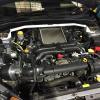
May 13, 201511 yr Hey everyone i'm new to the Subaru and Japanese car world, I bought my '09 WRX two months ago and a lot has changed since in preparation for its journey to Le Mans and the Nurburgring next month. Going to hope to attend a few meets and events and meet some people and not many Subaru hatches around the area. Greg
May 13, 201511 yr Welcome to the club. Bet you can't wait for those track days. What sort of prep have you done?
May 13, 201511 yr Author Check my link here :) http://uk.subaruownersclub.com/forums/topic/14125-gminsites-wrx-hatch/#entry86741
May 17, 201511 yr Wotcha and welcome Greg - just enjoyed reading you other thread, will be following that one :)



Create an account or sign in to comment