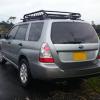
August 18, 201510 yr Hi everyone! I live in Colombia, South America, and currently own a 2008 Forester 2.0L N/A with dual range. I love this car and it's been absolutely reliable to this day. I bought it with 87K kms on it in January and it's close to 100K kms now. I'm looking forward to keep learning in this forum and one reason I subscribed here is because is an active forum and you guys have the 2.0 N/A engines too. I have the EJ204 engine in my Forester, is it the same as UK's 2.0 SG's?
August 18, 201510 yr Hello & welcome ☺ nice looking foz there ! Feel free to get stuck in we're all friendly and at the end of the day if it's a subaru that's all that matters Not to sure about the engines on the newer cars, I'll have a look we changed from the 2l to the 2.5l engine around 2004/05 I think but essentially it's 99% the same set up just a larger bore
August 24, 201510 yr Wotcha and welcome - plenty of chance for some challenging off road action you have in your part of the world - feel free to post any photos if you venture off into the trails
August 24, 201510 yr Author Thanks for the welcome guys! I'm sure planning to venture into some off road action, nothing too extreme though, but something that put to work more the Foz AWD! :D Next step is a small lift (1" strut spacers) and better tires, maybe 1 or two sizes up from stock. I will post pictures.



Create an account or sign in to comment