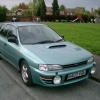
August 28, 201510 yr I am looking to buy a mid 1990's Impreza Turbo. OK so what am I looking for:- Must be UK spec saloon with no modifications, except maybe the exhaust In good condition, without mega miles Ideally with full service history, but a caring enthusiastic owner is more important Not white Not owned by a smoker - can't stand the smell I had one like this up until 2001 when the kids were too long legged to fit comfortably in the back, so it went. :( Now the kids have all but gone I am looking to buy back in to the Impreza experience! :D If you have a cherished scooby that you want to find a good home for then please let me know. I am in the Stafford
September 1, 201510 yr I'm just curious to why upto 1997? I am guessing your wanting the classic shape without a doubt, they do go upto 2001 if your very lucky like me. 51 plate classic shape gc8.
September 1, 201510 yr Author It comes down to money and I am under the impression that the older the car the cheaper the insurance and purchase cost!
September 1, 201510 yr Good classics are getting recognised. I'd say a bug eye would probably be a safer budget bet imo Sent from my iPad using Tapatalk
September 3, 201510 yr Author Thanks Martyc for your thoughts, however I never got used to the bug eye, hence wanting an earlier model. I am sure I'll get what I'm after if I am patient!!



Create an account or sign in to comment