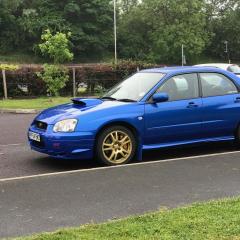
October 3, 201510 yr Hi guys, just ordered said strut braces for my beloved 04 STI, gonna treat her when I get home. Bought these strut braces from Japshop at £25 less than scoobyworld is advertising them for and thats not taking into account postage from scobbyworld. Once they arrive and Ive fitted them I'll post a review and pictures of how easy or not the fitting is and the quallity.
October 4, 201510 yr Was looking at these for my hatch so be nice to see what you think. -- I make Films for businesses and people. I also make websites.
October 5, 201510 yr Author They are getting delivered tomorrow unfortunately have to go into the office in the morning. Should get at least one fitted in the afternoon though in between trying to get the emissions down after failing the mot
October 6, 201510 yr Author The strut braces have turned up and look good. Ive fitted the front one and it only took 10 minutes or so. Just 3 nuts on each strut and the fit was very good. A wee bit tight doing the bolt up between the mounting plate and the bracing bar but no real drama. Ive not fitted the rear brace as the rear seats have to come out and as its raining not ideal to be doing that.
October 7, 201510 yr Author Rear strut brace is now fitted. It involved taking the whole of the back seat out fairly straight forward 6 bolts and it was out. Access to the strut tops is very limited and fitting the mounting plates was quite difficult. After much persuasion they went in and the bracing bar fitted in the boot. Took about 45 minutes to complete the job and they both look great. Well worth the money and effort to fit.



Create an account or sign in to comment