November 13, 201510 yr 2002 Subaru Outback AWD. How to do? How do I remove the Fog Light Switch for the rear fog lights? The front fog lights work perfectly; but the rear fog lights don't; we've tested the lights and they are OK, plus connections.. Must be a wire off the switch or maybe the switch itself? How do I remove the switch without damaging it? help and advise appreciated.. M
November 14, 201510 yr Author Searched the internet and youtube for guidance on how to remove the fog light switch - "nothing" no-one seems to know how to remove the switch.
November 14, 201510 yr Not too familiar with the layout of yours but on others if you take the facia off sold be able to un clip from the back and push out
November 14, 201510 yr Are you sure they don't work? Some cars, the rear fogs wont come on unless the front fogs and/or headlights are on. If the switch has to come out, you'll have to remove half the centre console. The real tricky bit comes in getting to the 2 allen screws located hidden up within the ash tray area. Take the ashtray out completely, try and look up inside (behind the front panel, may need a mirror). There are 2 screws which need removing. After that, just clips around but also the connector for the ashtray light and the cigarette lighter need disconnecting.
November 14, 201510 yr I'm hoping the diagram loads OK, attached pdf.The diagram gives an idea of where the retainers (2 screws and 3 hook pawls) are located to get to the fog light switches. centre console picture.pdf
November 15, 201510 yr Author Hi Greenmamba, Thanks for the help; and the pdf loads OK. Only the rear fog lights don't come on. I'll have a look for those screws up where the ash-tray sits. Your help appreciated.. M
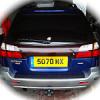
March 13, 201610 yr Author Didn't need to remove the fog light switch; the problem was just a small pin in the Tow Bar Electrics stuck in. Released the pin with a tweezers and the rear fog light work again.



Create an account or sign in to comment