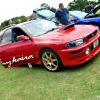
November 15, 201510 yr For sale is my 1996 Tommy Kaira M20B wagon import (2.0 Subaru Impreza turbo wagon) asking for about £4,500 Ono or swap for something else as many know it's a VERY VERY rare car with all the original and genuine parts body kit, interior clocks ect there is under 5 on uk roads and that's included saloons the cars engine itself is pretty much standard no bolt on crap or performance part put put just the standard engine which is pushing around 300bhp it has a blitz dump valve and remap and that's it the car has had its mot in October, it's a very nice example of a Tommy because the car was made in 96 it's obviously not going to be perfect but very near, the car has wanted for nothing and perfect for someone that wants to stand out with a very rare Japanese car anymore info u want don't hesitate to ask 07463 773622 Sent from my iPhone using Tapatalk
November 15, 201510 yr Author I can't upload any pics for some reason but happy to send lots if interested Sent from my iPhone using Tapatalk
November 15, 201510 yr Try uploading them to Photobucket and posting links as then you can show off your motor with big hi res images? Are you looking at a different scooby?



Create an account or sign in to comment