Do Not Sell My Personal Information Jump to content
View in the app

A better way to browse. Learn more.

Subaru Owners Club UK | Subaru Forums

A full-screen app on your home screen with push notifications, badges and more.

To install this app on iOS and iPadOS
  1. Tap the Share icon in Safari
  2. Scroll the menu and tap Add to Home Screen.
  3. Tap Add in the top-right corner.
To install this app on Android
  1. Tap the 3-dot menu (⋮) in the top-right corner of the browser.
  2. Tap Add to Home screen or Install app.
  3. Confirm by tapping Install.

Prang near Sterling was it you ???

Featured Replies

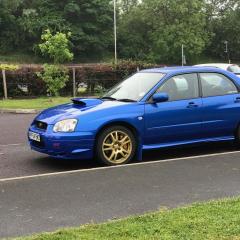
Bit of a prang over the weekend near Sterling spotted by my stepson ☹️ post-3263-0-95037800-1450117837_thumb.jppost-3263-0-95037800-1450117837_thumb.jppost-3263-0-25710400-1450117892_thumb.jp


Stirling*


Dunno who it was but I drove passed it as well on Saturday... made me cringe

  • Author

He said it looked pretty nastie and drove past again on Sunday on his way to work just as they had pulled it out of the bushes said it was well mangled at the front end. ☹️☹️☹️ Hopefully the owner is ok and secondly the car can be repaired.

Yeh the front bumper was lying next to it about 20ft away... seems like he probably put his foot down coming off the roundabout and somehow lost control

Ouch looks pretty nasty but would have thought drivers fine scoobs hold well :)


Create an account or sign in to comment


Background Picker
Customize Layout

Account

Navigation

Search

Configure browser push notifications

Chrome (Android)
  1. Tap the lock icon next to the address bar.
  2. Tap Permissions → Notifications.
  3. Adjust your preference.
Chrome (Desktop)
  1. Click the padlock icon in the address bar.
  2. Select Site settings.
  3. Find Notifications and adjust your preference.