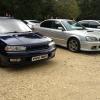
July 28, 201312 yr So thanks to miggs and my brother in law,between us we've got the car back on the road.i done the pulley wheel with new woodruff and bolt and cam gear ( from miggs) cambelt,all of the pulleys/ tensioner. Oil seal on pump, thermostat, oil cross over pipe jncluding hoses and oil filter change.iand I just washed all the greasy hand prints off her. Thanks again miggs
July 28, 201312 yr Anytime pal, glad I could help, when did they arrive? Been wondering what happened to them lol
July 28, 201312 yr Author On Tuesday miggs,sorry i didnt let you know.i used the cam gear you sent as we had to tap and pri the old one off which took a good hour and over night soaking. Car was done just in time so I could use it for band rehearsal
July 28, 201312 yr Author Sorry dudes, I should o posted this in the general section.done it off the phone and must of slip with the finger, you know what I mean
July 29, 201312 yr that was about when i expected so not bad for the cost considering the weight, glad it's all sorted and your pleased to have the car back on the road



Create an account or sign in to comment