Skip to content
View in the app

A better way to browse. Learn more.

Subaru Owners Club UK | Subaru Forums

A full-screen app on your home screen with push notifications, badges and more.

To install this app on iOS and iPadOS
  1. Tap the Share icon in Safari
  2. Scroll the menu and tap Add to Home Screen.
  3. Tap Add in the top-right corner.
To install this app on Android
  1. Tap the 3-dot menu (⋮) in the top-right corner of the browser.
  2. Tap Add to Home screen or Install app.
  3. Confirm by tapping Install.

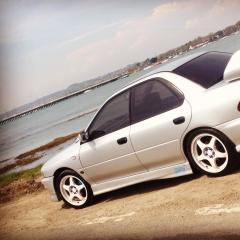
Classic STI Fuel Pump

Featured Replies

Hey all,


ive got a performance fuel pump to install, how easy is it?? And is it much different from the video link for the 06 model?? 

Thanks in advance :thumbup:


  • Author

Thanks mate @Scoobyghost, I've linked you to the video that's up......

i might try and give it a go at the weekend then:happy:

Ah I can't see the link. Guess Tapatalk is still playing up. It's a quick easy job. Just keep the area clear and clean. You don't want bits falling in the tank.

  • Author

Top man, thanks mate..... I'll see how I go at the weekend then :wink:

Create an account or sign in to comment


Background Picker
Customize Layout

Account

Navigation

Search

Search

Configure browser push notifications

Chrome (Android)
  1. Tap the lock icon next to the address bar.
  2. Tap Permissions → Notifications.
  3. Adjust your preference.
Chrome (Desktop)
  1. Click the padlock icon in the address bar.
  2. Select Site settings.
  3. Find Notifications and adjust your preference.