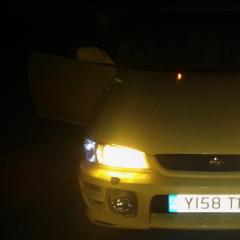
July 1, 20169 yr Author Went to roger clarke motorsport to order some parts last week and they said worth keeping youd be lucky if you see 30 of them around now. Honestly the pictures dont do it any justice it looks so much better in person.
July 1, 20169 yr 3 hours ago, matt said: he sold it and got a vectra i think Some decisions cant be explained. @charleseaton1 looking good mate, hope we see it in the flesh at some point.
July 1, 20169 yr Author @GeoffLeggy is their any local meets you attend. And @matt yes definatly lacks a turbo maybe next year when my insurance goes down
July 1, 20169 yr Not really, the only one Ive been to locally is just a coffee morning open to all petrol heads. I go to most of the main national events. Japshow next weekend and just down the road from you!
July 1, 20169 yr 2 hours ago, charleseaton1 said: @GeoffLeggy is their any local meets you attend. And @matt yes definatly lacks a turbo maybe next year when my insurance goes down Hi, If you need any help with insurance next year then please feel free to drop me a line. Regards, Dan.



Create an account or sign in to comment