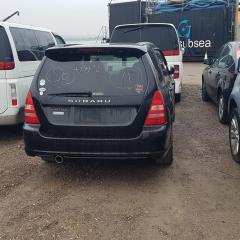
September 19, 20169 yr Hi everyone am new to this build log thing just want to share few bits I've done to my and future plans: Build log # 1 : So as everyone can see this is my new ride this is the 3rd one ive own over the years was in the process of bringing over a cross sport but got !Removed! over by the bank then came across this beauty. so after i got it to my house couple weeks later like everyone ive own i gave it a once over changed the engine oil used shell helix hx7 10w-40 , front brakes got change , cabin filter and air filter,had a few of my mates company stickers slap that on both sides of the rear glass didn't like the rims on it had a set of wrx rim sitting around so decided to slap it on with a set of 225/50/17 maxxis all season tyres and had the wheels alignment done as well and that concludes that till next time. Old rims on the car before I swap it and change the brakes. The state of the pollen filter 😲😲😲 in the cabin that's why it's good to check often. Gave the wheel a good clean before they were on the car got me a bottle of merlin's blood sprayed it on and let it work its magic.💥End results. Edited October 23, 20169 yr by tec17 BrB away on holiday will update soon



Create an account or sign in to comment