September 30, 20169 yr Started to tidy up my car what do you all think? the silver was drastically painted poor by previous owner and it was irritating me. So i decided to buy the paint code same as car in cashmere yellow and paint them that way.. I thought of black but thought that would be boring
September 30, 20169 yr Author Just put the laquor on so will post a pic when fitted. Looks different so we will see
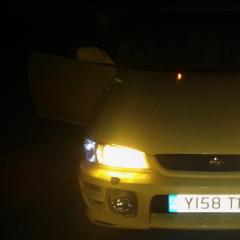
October 3, 20169 yr Author Yes all colour coded just need to get seats cleaned all in now and looking good ill upload a pic later as it was dark by the time i got round to fitting all last night
October 3, 20169 yr Author Thanks it looks really good the photos dont do it justice... Just trying to tidy it up as i plod along.... Just the front bumper to prep and paint next as old owner put stickers all over it but pulled paint off in some places
October 4, 20169 yr Author Yes sanded down then used plastic primer, then sprayed the yellow and then laquored. Lot of work but end finish is good worst bit was sanding down in all the small gaps quite time consuming



Create an account or sign in to comment