Do Not Sell My Personal Information Jump to content
View in the app

A better way to browse. Learn more.

Subaru Owners Club UK | Subaru Forums

A full-screen app on your home screen with push notifications, badges and more.

To install this app on iOS and iPadOS
  1. Tap the Share icon in Safari
  2. Scroll the menu and tap Add to Home Screen.
  3. Tap Add in the top-right corner.
To install this app on Android
  1. Tap the 3-dot menu (⋮) in the top-right corner of the browser.
  2. Tap Add to Home screen or Install app.
  3. Confirm by tapping Install.

Featured Replies

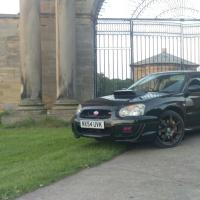
Just enjoy looking at other people's black blobeyes, gain idea etc etc.... here's mine....

0efcff9929bb4721030dffe76e25ba2d.jpg53d630b39a906900cd671bd378051b2e.jpg84caf6a36ca8d1350c9510d25ae84715.jpg4937796e35ef88c8a7c997f9fb58c051.jpg792f4512ce8e791220ec2f3f828c30ee.jpg116866d48f2703ba813a8ee4b22b132a.jpgcb20f20d61476ad9c236376446e442c7.jpgca55465d85ab283a48cf9779214fcc0b.jpga72ba556682c86cfd45fe308ebbfc0b2.jpg


Sent from my HTC One M9 using Tapatalk


Gold and black is a good combo IMO :D


scooby.thumb.jpg.96726cd13321df7d84278c649d5d40e8.jpg

  • Author

Feeling this look atm, just need to actually save some monies up lole20d7119cc7a97f4f9afea76dfa0413e.jpg


Sent from my HTC One M9 using Tapatalk


Guess whats better than black?

20170321_163828.jpg

20170315_181434.jpg

20170321_144548.jpg


This is now my hood

  • Author

Oh look, another blue Impreza with gold wheels lol 😜


Sent from my HTC One M9 using Tapatalk



There orange not gold matthew 😉

The best i can come up with is that they do skodas in black but not in 02c blue 🤔


  • Author

Like that!!


Sent from my HTC One M9 using Tapatalk


Screenshot_20170510-212616.png

Im having the arches and wheels wen i move fo sho

Create an account or sign in to comment


Background Picker
Customize Layout

Configure browser push notifications

Chrome (Android)
  1. Tap the lock icon next to the address bar.
  2. Tap Permissions → Notifications.
  3. Adjust your preference.
Chrome (Desktop)
  1. Click the padlock icon in the address bar.
  2. Select Site settings.
  3. Find Notifications and adjust your preference.