Do Not Sell My Personal Information Jump to content
View in the app

A better way to browse. Learn more.

Subaru Owners Club UK | Subaru Forums

A full-screen app on your home screen with push notifications, badges and more.

To install this app on iOS and iPadOS
  1. Tap the Share icon in Safari
  2. Scroll the menu and tap Add to Home Screen.
  3. Tap Add in the top-right corner.
To install this app on Android
  1. Tap the 3-dot menu (⋮) in the top-right corner of the browser.
  2. Tap Add to Home screen or Install app.
  3. Confirm by tapping Install.

Price?

Featured Replies

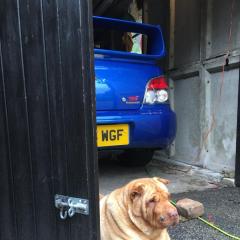
Hi was wondering if anybody knows what price range these should be it’s had 10k spent on it so this might reflect a bit unsure thank96A9519F-8FF1-4946-A637-51A70D5CAA63.thumb.jpeg.2f5def5a18162c161a2a9f9e27c44bd5.jpeg


Prices have gone up recently but sounds over priced to me. Does look tidy but strong money (bear in mind its all opinion of what they are worth)


Be aware you will need to chuck some money at the brakes imo as the ones on it are crap. The '16' inch model was a despeced car provided cheaper to race teams to convert to rally cars, so the idea of it being a special edition is horse pish. They put the cheapest nastiest seats, wheels and brakes on it, should have a wrx spoiler as well.


From looking at it the spoiler, wheels, interior are aftermarket/mod's as these were the bits they put the cheapest bits on as they were always chucked int he bin

Create an account or sign in to comment


Background Picker
Customize Layout

Account

Navigation

Search

Configure browser push notifications

Chrome (Android)
  1. Tap the lock icon next to the address bar.
  2. Tap Permissions → Notifications.
  3. Adjust your preference.
Chrome (Desktop)
  1. Click the padlock icon in the address bar.
  2. Select Site settings.
  3. Find Notifications and adjust your preference.