March 9, 201214 yr Hi, just came across this via facebook thought I'd say hello... on second Subuaru and not likely to go back to anything else.....first 4th gen Legacy, and now running a Tribeca..... underated in my view.....
March 10, 201214 yr Welcome to the club Martin! How are you finding the Tribeca Martin? Also what sort of MPG are you getting round town?
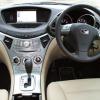
March 10, 201214 yr Author It's a cruiser....... managed 27 on the motorway last weekend...... on commute through the city get about 19 to 21....... sounds bad but the Legacy wasn't much better and had less toys, if I get 20 I can live with it. My son loves it, it great to have something different. Tax is the big killer.... group M
March 12, 201214 yr Hi Martin, welcome along, where abouts are you? Tribeca? I've never heard of one of those, learn something new everyday! ;)
March 12, 201214 yr Author In Bath - not surprised not many around 746 sold in UK - distinctive looks and a 3l spec B 6. I like it!



Create an account or sign in to comment