Do Not Sell My Personal Information Jump to content
View in the app

A better way to browse. Learn more.

Subaru Owners Club UK | Subaru Forums

A full-screen app on your home screen with push notifications, badges and more.

To install this app on iOS and iPadOS
  1. Tap the Share icon in Safari
  2. Scroll the menu and tap Add to Home Screen.
  3. Tap Add in the top-right corner.
To install this app on Android
  1. Tap the 3-dot menu (⋮) in the top-right corner of the browser.
  2. Tap Add to Home screen or Install app.
  3. Confirm by tapping Install.

Featured Replies

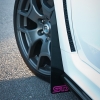
I had a spare thirty minutes ;)  this afternoon so I spent it finishing off Da Polishing the rest of my car (I did the bonnet last night) with the Menz2400 and 4500, then applied the Angelwax DRIFT. Finished off the wrap roof with Autofinesse' Finale detail spray (as it contains no wax/silicone in it)


DSC_0352_zps884a4002.jpg


DSC_0353_zps03cc3a0b.jpg


DSC_0354_zps85292d72.jpg


DSC_0355_zps85b452db.jpg


DSC_0356_zps9e4f4dc7.jpg


Looks fantastic and the winter wheels look better than I thought it would do too 1st time I've seen a picture with them on :) 

  • 4 weeks later...

Very nice buddy' looks spot on.

Create an account or sign in to comment


Background Picker
Customize Layout

Configure browser push notifications

Chrome (Android)
  1. Tap the lock icon next to the address bar.
  2. Tap Permissions → Notifications.
  3. Adjust your preference.
Chrome (Desktop)
  1. Click the padlock icon in the address bar.
  2. Select Site settings.
  3. Find Notifications and adjust your preference.