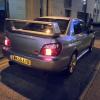
April 9, 201411 yr Hi guys and gals My names Lee im from hertfordshire and im about to get my dream subaru next week all going well. Sti type uk with prodrive pack 52k on the clock, this is my first subaru iv always wanted one from a young age ;) Quick question why im here, the sti also comes with a rear diff switch so i can make it RWD, they guy in the garage said when he switched it from AWD it made a loud knock, is this normal as iv read somewhere els that it is but im not 100% sure. Cheers lee
April 9, 201411 yr Hey mate, welcome to the S.O.C, that s a nice looking car there. Not had experience with a rwd switch system but imagine it would be normal as the diff has to make some changes, hopefully someone will be along soon to help.
April 9, 201411 yr Wotcha and welcome - not heard of a RWD switch - there is a switch (DCCD) that changes the drive ratio from 70 / 30 through to 50 / 50 power distribution and subaru diffs can clunk that motor looks sweet though lets us know how you get on with it
April 10, 201411 yr Author Thanks for the warm welcome ;) Yes jay i did read about the DCCD model coming with drive ratio switch, would the log book state its a DCCD model ? The dealer is saying is saying that the rear diff switch was a added mod by the previouse owner. Also whats DCCD stand for? Lee
April 10, 201411 yr Driver Controlled Centre Differential. Explained in the below articles http://uk.subaruownersclub.com/forums/topic/4392-i-drive-dccd-explained/ http://www.subaru-global.com/tec_dccd.html
April 10, 201411 yr Author Great thanks will read up on it later. will the logbook state if it has DCCD by any chance? Because if it is DCCD and not a full rear diff mod i can knock him down on price ;)



Create an account or sign in to comment