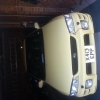
April 14, 201411 yr Hello all im nick this is my first subaru my subaru is a yellow 2.0 non turbo im 22 years old and I want to learn alot about them atm I have one trouble its the abs fault code was 35 and 56 anyone know what needs to be replaced and a rough price?? Nick
April 14, 201411 yr Hello mate welcome to S.O.C Not sure of the codes from the top of my head but I would check your pads have some meat left on them and take the abs sensors off and give the contacts a clean.
April 15, 201411 yr No problem look forward to the pictures and hope it sorts the problem out. I don't think it will be anything big to fix :) normally just a clean of the sensors and a wiggle sorts it most of the time.
April 17, 201411 yr Author Didnt work this time :( dis conned battery all night hoping after cleaned them tht ecu resets lool
April 17, 201411 yr found this info through Ebay (believe it or not) not sure how useful it will be but better to share info than keep it to myself ;) Fault codes1111 No codes stored11 Crankshaft position sensor (Don't confuse with above, usually when the crankshaft sensor if dodgy the thing won't start anyway)12 Starter switch faulty13 Camshaft position sensor14 Injector no.115 Injector no.216 Injector no.317 Injector (You guessed it!) No.421 Engine temp sensor22 Knock sensor23 Mass air flow sensor24 Idle air control sensor (usually accompanied by running too fast/slow)31 Throttle position sensor32 O2 sensor33 Vehicle speed sensor35 Emissions canister purge valve38 Torque control signal (Automatics)42 Closed throttle position44 Turbo wastegate regulator malfunction45 MAP sensor49 CO adjustment resistor for older cars not fitted with cats51 Neutral switch (Manual gearbox)
April 17, 201411 yr http://uk.subaruownersclub.com/forums/topic/217-obd-codes/ Had a list here I should have maybe pointed you to it :)
April 17, 201411 yr I saw this on his other thread and none of the codes for ECU relate to the abs. I did a bit of golfing and came up with some abs codes but they didn't have some of the codes nich had posted. After further reading It's not a full list and no one seems to have a complete list. Seems the only real way is to use the proper diagnostics tool from Subaru to find out what's going on. Here are the codes hope they help. ABS DTC list 11 – Start Code, DTC is shown after start code, Only start code is shown in normal condition Abnormal ABS sensor, open circuit or voltage too high 21 – front right ABS sensor 23 – front left ABS sensor 25 – rear right ABS sensor 27 – rear left ABS sensor Abnormal ABS sensor, abnormal ABS sensor signal 22 – front right ABS sensor 24 – front left ABS sensor 26 – rear right ABS sensor 28 – rear left ABS sensor 29 – any one of four Abnormal solenoid valve circuits in ABS control module and hydraulic unit 31 – Front right inlet valve 32 – Front right outlet valve 33 – Front left inlet valve 34 – Front left outlet valve 35 – Rear right inlet valve 36 – Rear right outlet valve 37 – Rear left inlet valve 38 – Rear left outlet valve 41 – Abnormal ABS control module 42 – Source voltage is abnormal 44 – A combination of AT control abnormal 51 – Abnormal valve relay 52 – Abnormal motor and/or motor relay 54 – Abnormal stop light switch 56 – Abnormal G sensor output voltage



Create an account or sign in to comment