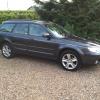
May 7, 201411 yr Hi all, Just put a deposit down on a 58 plate outback RE diesel. Really looking forward to getting it next weekend :-). This is my first Subaru so interested to see how it goes. Fancied the outback for all the reasons it was built for tbh. Minor off road and the size and comfort. Got the diesel as the +40 mpg looks nice. It's fully loaded with lots of gadgets as well. First mod though is to get rid of the nasty stick on pinstripes that someone has pu on it. Will post a pic up once I get it. Cheers Alan
May 7, 201411 yr Hey mate, glad you are excited for the car and have finally got it. And welcome to the club, get pictures up once you get it. And get involved in the forums, plenty going on.
May 7, 201411 yr Hi mate where about you from mate I'm a northern bloke too. I'm near Louth and Grimsby
May 7, 201411 yr Author Watcha, not far from barton :-) Used to live in cottingham across the bridge and noticed there is a member there too :-)
May 8, 201411 yr Watcha, not far from barton :-) Used to live in cottingham across the bridge and noticed there is a member there too :-) Oh right yeah I used to live in Barton many years ago :)



Create an account or sign in to comment