May 10, 201412 yr Well im in need now of adding a splitter to the front think its what missing from the car at the moment front looks kinda bare so ive been looking around and really undecided as what to get but I have just found this one and I was wondering if anyone might know what it is please???
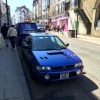
May 10, 201412 yr I think the classics do look a bit "chinless" without a splitter that looks like the one I fitted to my v3 If so it's a p1 splitter I got a p1 replica from HTA autos a couple of years ago for just over £100 delivered
May 10, 201412 yr I like most the scoobies with a splitter if I'm honest. And would agree with Savage and Matt looks like the P1 they have.
May 10, 201412 yr Savage's looks like it's about to eat small children [emoji16] Sent from my SM-T210
May 11, 201412 yr Author Thankyou very much in deed for the replies and savage did it come black like that when you baught it??? that's defo the one for me I think but suppose it can be something I change may mind with lol
May 11, 201412 yr Yeah it it's black plastic but not the same mottled finish as my side skirts and after 2 yrs has faded a bit .so you might be better off giving it a lick of paint to keep it looking mint as when I'm cleaning it I have to use a ton of back to black to bring it back to life lol I'd recommend the plastic type over the cheaper fiber glass ones as there less likely to crack if you catch it on a kerb ect



Create an account or sign in to comment