May 10, 201412 yr Hey im new to this and need some help... I have a Forester SF S turbo on a w plate (2000) im looking to add a Dump valve/BOV but not sure what would fit the car..having some serious trouble on ebay when looking for one lol.. Any info would help
May 11, 201412 yr I think any that fit's the impreza should fit. I would need to see what type is there 1st though
May 11, 201412 yr Wotcha and welcome - dig out your engine code for confirmation - also check out some of the mods in the forester section of the forum that members have completed
May 11, 201412 yr Hello, any pics ? I wouldn't bother with a vent to atmosphere one, as they don't, like it, plus if yours is like mine the recirc valve is halfway down the hose and not bolted to the intercooler, so you'd have to change that for a start, Sent from my SM-T210
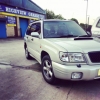
May 11, 201412 yr Author hey these are the only pictures I have at the moment ive heard that about the impreza bits fitting but wasn't really sure. changing pipes and other bits not such a problem..i used to have a Jap import WRX STI but then ended up with 12 points on my licence so that had to go lol..i don't want to go crazy with mods but i do like a good Dump sound lol..
May 12, 201412 yr I'm unfamiliar with the Forester engine I know most parts will fit so only thing I would do is look at this site and then jump on ebay to see if you can get the parts cheaper :) http://www.demon-tweeks.co.uk/motorsport/dump-valves-accessories/car/subaru/forester-97-02/2000/2-0-turbo



Create an account or sign in to comment