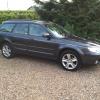
May 14, 201411 yr Hiya, Well pick the car up on Friday night so really looking forward to that and the drive home. It's a 2.0d re. Let the modding begin lol. First job is to remove the naff 1980's style pinstripes which have been put on at some point. Hopefully they'll peel off ok or will have to use the hair dryer. First proper mod though is the grill. Not keen on the chrome look of this so was thinking about getting a 2nd hand one and painting it black and adding some grille mesh. Thing is what type of grille will fit? Can I get a legacy one (with the chrome hockey sticks) and use that or do I need a specific one for the outback? Going to keep the original for when I eventually sell it again lol. Cheers Alan
May 14, 201411 yr Have a look at this, maybe something similar available for yours :-) http://uk.subaruownersclub.com/forums/topic/6562-test-fitting-legacy-mesh-grille/#entry38122
May 14, 201411 yr Author Really like that. Is just the look I was after. Have to see if I can borrow his old grille to trial fit to get one the same shape :-) Cheers Alan



Create an account or sign in to comment