Do Not Sell My Personal Information Jump to content
View in the app

A better way to browse. Learn more.

Subaru Owners Club UK | Subaru Forums

A full-screen app on your home screen with push notifications, badges and more.

To install this app on iOS and iPadOS
  1. Tap the Share icon in Safari
  2. Scroll the menu and tap Add to Home Screen.
  3. Tap Add in the top-right corner.
To install this app on Android
  1. Tap the 3-dot menu (⋮) in the top-right corner of the browser.
  2. Tap Add to Home screen or Install app.
  3. Confirm by tapping Install.

My Blobeye

Featured Replies

That's a good idea I'll send you a message nearer the time if I can make or if not I'll just paypal you for the heatshield - if I'm on a drive on a sunday up north will try arrange to pick it up or something possibly or will just include the postage costs in the pp


  • Replies 79
  • Views 10.9k
  • Created
  • Last Reply

Top Posters In This Topic

Most Popular Posts

  • Markmark.123
    Markmark.123

    De badged grill

  • Markmark.123
    Markmark.123

    The splitter is a universal one off eBay called a rhino splitter very easy to fit My engine bay cleaning proses is Cover all electrics Degreaser all over Use toothbrushes and other brushes on th

  • Markmark.123
    Markmark.123

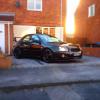
    Here is a pic mate

have you put the same picture on twice? what's changed?


:lol: :lol: :lol:


That is some detailing there - its transformed it!!

  • Author

Would anyone else want a bonnet heat shield fetching to the nbo £10 each and look a lot better than the original


Create an account or sign in to comment


Background Picker
Customize Layout

Account

Navigation

Search

Configure browser push notifications

Chrome (Android)
  1. Tap the lock icon next to the address bar.
  2. Tap Permissions → Notifications.
  3. Adjust your preference.
Chrome (Desktop)
  1. Click the padlock icon in the address bar.
  2. Select Site settings.
  3. Find Notifications and adjust your preference.