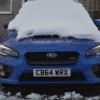
October 9, 201411 yr Had my car about a month, done 650 miles. Surprised how much attention i get in it, on the way home from the dealership on the first drive home and already someone wanted a picture of it. Loving the car, power delivery much different compared to my Focus RS but just as quick if not quicker. Had to order some rear sensors though. ^_^ ;)
October 16, 201411 yr Definitely know what you mean about attention, I don't do talking to random people but that's had to change since getting the STI lol. Where did you get the reverse sensors from and how much (inc fitting), it's a sad day I have to admit I was spoilt in the 3 series as I just parked using the sensors and it appears I've forgotten how to park now :( Cheers, Phil
October 16, 201411 yr Author Not got the sensors yet but had the reversing camera fitted on delivery which does help but had an RS before this and i miss the security of those beeps ! Its going to be about £400 from the Subaru garage i got it from and ordered the heavy duty boot mat too they only £55.
October 21, 201411 yr I'd be really interested in an update when you have the sensors, thinking about getting some myself. Also be good to see the pics of the finish!



Create an account or sign in to comment