


Saj.81
Members
-
Joined
-
Last visited
-
Thanks I'll give them ago.
-
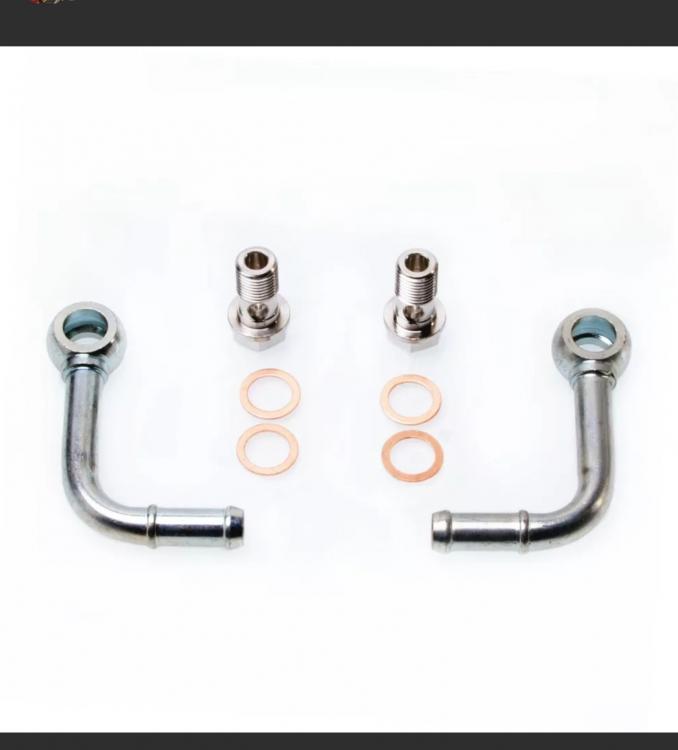
Hi guys, moving onto my next problem. The water feed to the turbo has snapped. I ordered some of eBay and they are too big. Firstly, has anyone replaced these before and where did you get them. Secondly. How do I measure to make sure I get the right size. If any one is willing to sell them off a blown turbo, I will happily purchase them. Picture of what I need. Thanks in advance
-
Thanks
-
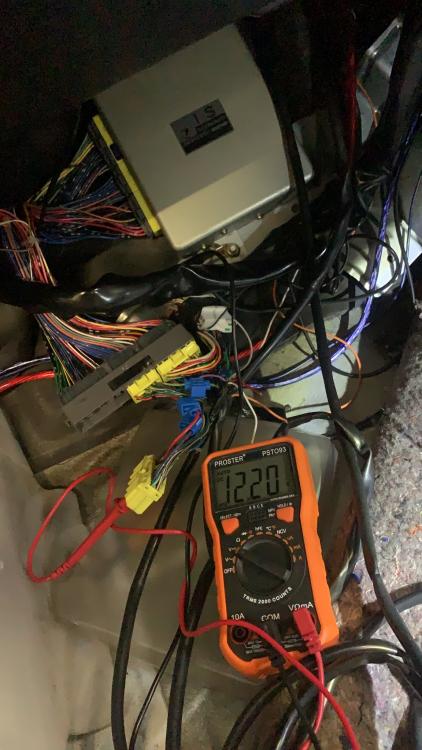
Hi guys, hoping someone can help. I have a JDM sti and it has an Apexsi acvr fitted but not wired up. Does anyone have a wiring diagram please? The ECU is a 3 plug. I've looked online but can't seem to find a diagram. I know it's old technology but I've always liked the look of the Avcr. Thanks in advance.
-
-
-
-
-
Thanks for the reply. Thankfully I've got another cable but the main issue I have is the brown plastic nut has broken off and I am unable to screw out the gearbox section. Any ideas how I get it out?
-
Hi guys, new to the forum. This subject may have already been brought up so I apologize in advance. My Speedo has stopped working. We checked the upper section and that fine. Yesterday we tried to remove the gearbox side but the plastic ilnut is non existent. Has anyone previous been able to remove it or encountered this issue. I have have a cable Speedo not a electronic one. I would be grateful for any help as currently car is in limp mode and not making the usual smile factor noises


