Do Not Sell My Personal Information Jump to content
View in the app

A better way to browse. Learn more.

Subaru Owners Club UK | Subaru Forums

A full-screen app on your home screen with push notifications, badges and more.

To install this app on iOS and iPadOS
  1. Tap the Share icon in Safari
  2. Scroll the menu and tap Add to Home Screen.
  3. Tap Add in the top-right corner.
To install this app on Android
  1. Tap the 3-dot menu (⋮) in the top-right corner of the browser.
  2. Tap Add to Home screen or Install app.
  3. Confirm by tapping Install.

Featured Replies

Just joined so thought I would say hello.

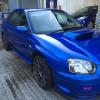
wanted a scooby since forever and finally got my hands a good one ...can't help but smile every time I turn the key or plant the throttle [emoji92][emoji7]

Sent from my iPad using Tapatalk


  • Author

Thanks, 2004 wrx sti

Sent from my iPad using Tapatalk

  • Author

post-3889-142446648526_thumb.jpgpost-3889-142446650789_thumb.jpg

Sent from my iPad using Tapatalk


  • Author

Is all good...found too many battered and bruised on my search so the more stock the better!

She has 1 or 2 discreet mods and was last dyno'd at 330bhp

Sent from my iPad using Tapatalk

Nice sounds like a good car and looks good as well. Welcome from another new member.


Create an account or sign in to comment


Background Picker
Customize Layout

Configure browser push notifications

Chrome (Android)
  1. Tap the lock icon next to the address bar.
  2. Tap Permissions → Notifications.
  3. Adjust your preference.
Chrome (Desktop)
  1. Click the padlock icon in the address bar.
  2. Select Site settings.
  3. Find Notifications and adjust your preference.