Do Not Sell My Personal Information Jump to content
View in the app

A better way to browse. Learn more.

Subaru Owners Club UK | Subaru Forums

A full-screen app on your home screen with push notifications, badges and more.

To install this app on iOS and iPadOS
  1. Tap the Share icon in Safari
  2. Scroll the menu and tap Add to Home Screen.
  3. Tap Add in the top-right corner.
To install this app on Android
  1. Tap the 3-dot menu (⋮) in the top-right corner of the browser.
  2. Tap Add to Home screen or Install app.
  3. Confirm by tapping Install.

Featured Replies

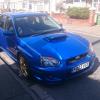
Hi I'm Dean from Grimsby. I've just got my first subaru impreza. It's a wrx sti in blue. I have a couple friends on here who told me to join. Brocklebank and kyle


ya know kyle too dean welcome buddy and shall catch up with you soon

Hello mate glad to see you got it sorted. Hopeful see you at some of the local meets to mate. It's on the 14th of this month from memory [emoji1]

he needs to sort payment with you for caddy pete


  • Author

Cheers. Yeah all sorted. If it's on the Tuesday I will be working. I'm wanting to come cadwell.

It's Tuesday from 6pm unless you're like dan who does shifts [emoji22] have you still got my paypal email mike?

Or can just use the forum form in the events section down the forum. [emoji106]

  • Author

I will use the form on here no problems. Yeah I won't make a Tuesday, gutted.

Oh gutted [emoji22] have to pull a sickie one month lol. [emoji6]


Dean was that you driving past North cotes today ? :D 

#stalkingagaingambit lol

Sent from my iPhone using Tapatalk

You know me David [emoji6]

I thought so I see youbdrive past twice well heard it then see it lol. Looks nice mate [emoji106]


  • Author

Cheers dude. Haha "heard first"

I can always tekl when a scoobs with in hearing distance lol

I can always tekl when a scoobs with in hearing distance lol

Yeah, coz you can hear it..... [emoji14]

[emoji1][emoji1][emoji1][emoji1][emoji1]

Sent from my iPhone using Tapatalk

Create an account or sign in to comment


Background Picker
Customize Layout

Configure browser push notifications

Chrome (Android)
  1. Tap the lock icon next to the address bar.
  2. Tap Permissions → Notifications.
  3. Adjust your preference.
Chrome (Desktop)
  1. Click the padlock icon in the address bar.
  2. Select Site settings.
  3. Find Notifications and adjust your preference.