April 30, 201511 yr Here we go, lets try and upload... <iframe width="480" height="360" src="http://s1176.photobucket.com/user/r1ride8/embed/slideshow/After%2030%20April%202015"></iframe> <iframe width="480" height="360" src="http://s1176.photobucket.com/user/r1ride8/embed/slideshow/After%2030%20April%202015"></iframe> <iframe width="480" height="360" src="http://s1176.photobucket.com/user/r1ride8/embed/slideshow/After%2030%20April%202015"></iframe> <iframe width="480" height="360" src="http://s1176.photobucket.com/user/r1ride8/embed/slideshow/After%2030%20April%202015"></iframe>
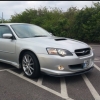
April 30, 201511 yr Author Thank you, It seems a bit too clean to me But then it's the best car i have owned.
April 30, 201511 yr Author Yes it will be good to meet up sometime have a closer look at other cars. I do work a lot but will try to get to some meets and as both me and the better half like to drive we have no objection to traveling any meets within two hours of dartford.



Create an account or sign in to comment