May 17, 201511 yr http://www.carcarekiosk.com/videos/Subaru/Impreza/1999 Its kinda cool :P Hope you guys find it useful too! :D
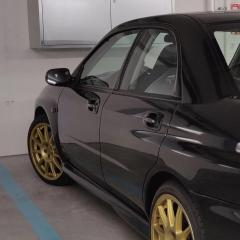
May 20, 201511 yr Author Thanks! :D yup, cant believe that guy did all those videos... a real ++ for him... :D Life in Spain, is great! :D Summer all the time... had to change the radiator on the scooby, oil, etc... For some unknown reason, i have a little bit of steam coming out from the front bottom section of the car... water levels and oil are ok... dont know what else can provoke the steam... :(
May 20, 201511 yr Checked for any small leaks after swaping the rad check the expansion. And glad to hear doing well mate. Summer here too if you can call it that lol. Had more rain and thunder storm's than sun. [emoji1]
June 16, 201511 yr Author Jeez... I wish I had some thunderstorms here... xD, there is almost no rain here... Im kinda missing the heavy rains.. :(
June 17, 201511 yr Author Yeah, literally, its a "bless" the rain here... let me know if you come some days here! :D
June 17, 201511 yr Will do mate gearbox issue at the minute though :( well have a lot going out missus learning to drive and wanting a car going to look at another one today list goes on :(
June 17, 201511 yr Author Cool! :D but what happen to your gearbox? :( I guess scoobies gearboxes are not that great, on my previous scooby I had to change it as well....



Create an account or sign in to comment