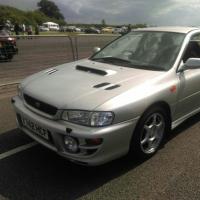
July 4, 201510 yr As some of you may know we bought a new impreza recently. It has a Clifford alarm fitted. All seems well until someone walks near the car. It lets of a quick bleep but does it far too often. Now as I'm writing this the sensor was triggering but no one was near it and then the alarm went off. Never heard it before and the noise has tickled me a bit. Its got all sorts of sirens going on [emoji23] [emoji23] [emoji23] So to summarise is there any way to turn down the sensitivity of the sensor or turn that part off?
July 4, 201510 yr Oh dear, heard them alarms before. Have they not set it to say "please step away fromt he vehicle" or anything?
July 4, 201510 yr Author No fortunately it doesn't say anything. Its not a bleep but like a distorted speaker beep. One of those annoying ones. Was speaking to my neighbour and he said the same. Funny old alarm but certainly needs removing. Told her to unlock with the alarm and lock it with the key so hopefully the alarm doesn't set.
July 4, 201510 yr What model is up ? I have a bitwriter that works on clifford/dei alarms install tool so saves messing around with keys and valet switches Sent from my SM-G850F using Tapatalk
July 4, 201510 yr Author Is there a way I can check model? I presume you mean alarm model not car. I'm flat out today getting prepped for tomorrow but I'll try to squeeze a bit in
July 4, 201510 yr No worries, if you find out the alarm model at some point I'll post it to you if it can be used Sent from my SM-G850F using Tapatalk
July 4, 201510 yr either pop in a local clifford installers & get them plug in laptop & tweak sensor settings or pick up required cable & learn do it yourself, software can be found online easily so only magic bit is the cable to connect to a notebook. I have clifford on 2 of my cars with same sensor as you talking about & they are very good but bad setting is what causes the issues.
July 4, 201510 yr The bitwriter is easy to use Colin, just plug in and cycle through the settings until the one you want press enter and adjust, I was having trouble finding someone in the north who could unlock mine as the original installer did it with the handheld. They wanted 75 quid to sort it so I bought one brand new from the states for 45 ☺ Sent from my SM-G850F using Tapatalk
July 6, 201510 yr I have a Clifford manual that may help out. I can photo the pages needed.to adjust the sensitivity. If not I usually disable mine when in garage
July 6, 201510 yr Author We don't need the proximity sensor in all fairness so disabling that part would be the best course of action.
July 6, 201510 yr For temporary I double click the lowest button om key fob followed by once on the second button from.top. Indicators flash four times to confirm. I'll dig manual.out in morning and get the permanent disable instructions for you.



Create an account or sign in to comment